INPOSTURE
Motivating Users to Maintain Correct Posture
Project Overview
Project Title: INPOSTURE
Role: User Researcher, Visual Designer
Timeline: 3 months (Academic Project)
Team: A team of 4 HCI students
The Challenge
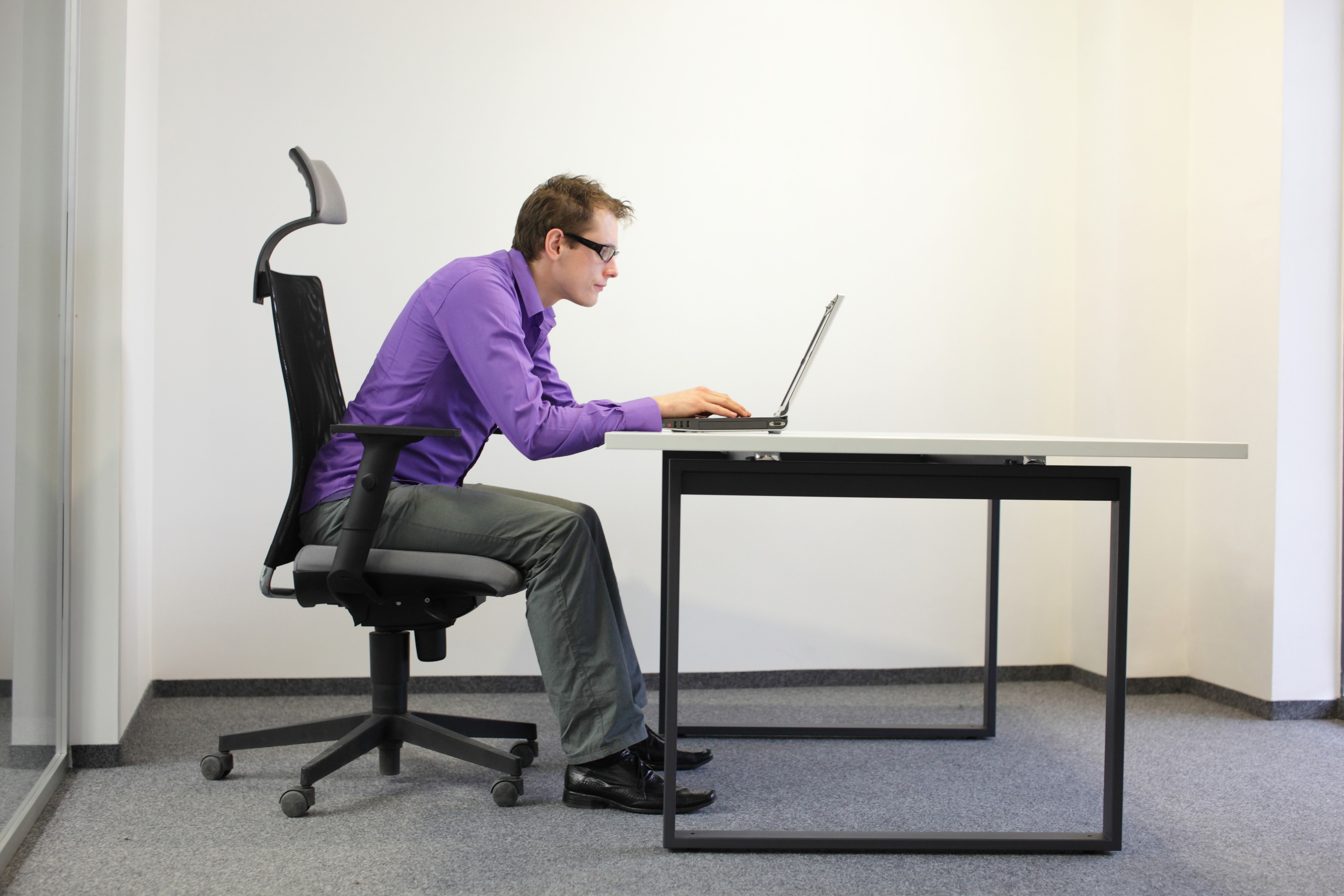
Poor body posture is a prevalent issue that often leads to long-term physical and mental health complications. It's an insidious problem rooted in a lack of awareness and motivation, particularly among working professionals and students who spend long hours in front of computers. Users neglect their posture because they fail to understand the long-term implications and don't know what concrete actions to take for improvement. Our team set out to answer the core question:
How might we motivate the users to maintain and make them aware of the correct posture to prevent them from long-term health implications?
My contribution and Impact
As a key contributor to the team, I was deeply involved in the research and visual design phases of the project, driving the solution from initial discovery to final prototype.
Key Contributions:
Research Foundation: Established the foundational understanding of the problem by performing a literature survey of 10 research papers and articles on posture.
Primary Research: Designed interview questionnaires, conducted 2 in-depth user interviews, and performed 2 field observations in Indianapolis to understand real-world posture habits.
Concept Ideation: Instrumental in brainstorming and developing the core concept, including the original idea for the floating UI element.
Visual Design: Took the lead on visual design, creating the high-fidelity screens and a comprehensive design system.
Evaluation: Planned and conducted usability testing and assisted with the heuristic evaluation with an expert.
My work ensured the final solution was both scientifically grounded in research and visually intuitive for the end-user.
Discovering the Problem through Research
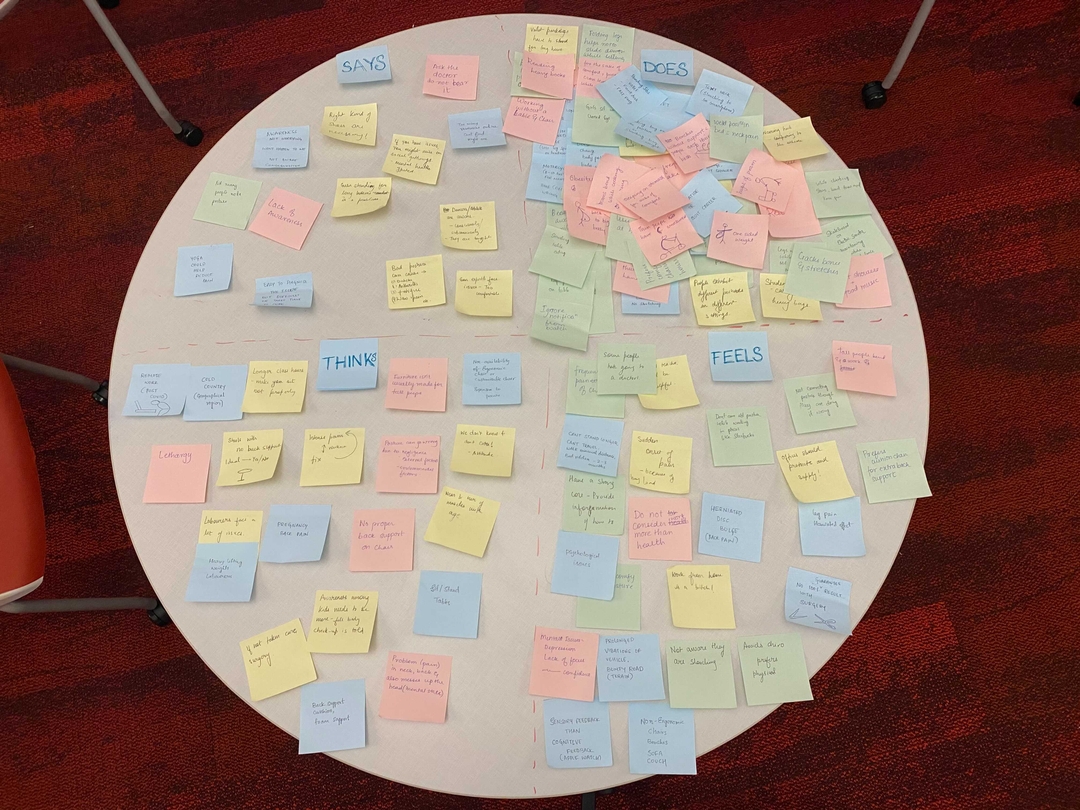
We employed a mixed-methods research approach to truly understand the user's current situation and pain points.We employed a mixed-methods research approach to deeply understand the user's journey.
Key Research Methods:
Literature Survey: To understand the severity, root cause, and long-term health issues associated with poor posture.
Stakeholder Interviews (8 total, 2 consucted by me): To gain qualitative insights from potential users, including a person with back issues and a work-from-home aerial artist.
Field Observations (2 conducted by me): To observe how people maintain posture in different environments when they are not aware of being watched.
Competitive Analysis: To understand existing solutions (wearable devices, apps, furniture) and identify market gaps.
Key Findings:
Through our research, we discovered that travelers face significant challenges with:

Lack of Awareness
Users lose track of their posture during long sitting hours and often don't know their current posture is incorrect.


Information Overload
When users are aware of the problem, they are overwhelmed by the vast and often conflicting information on the internet about how to correct their posture.

Lack of Motivation & Neglect
Users fail to prioritize posture improvement or take regular breaks, often leading to a sedentary lifestyle.


Designing the Solution: INPOSTURE
Based on our research, we ideated and developed INPOSTURE, a desktop application that uses Artificial Intelligence and a user's webcam to detect and track posture, providing personalized, non-intrusive feedback.
Key Design Decisions:
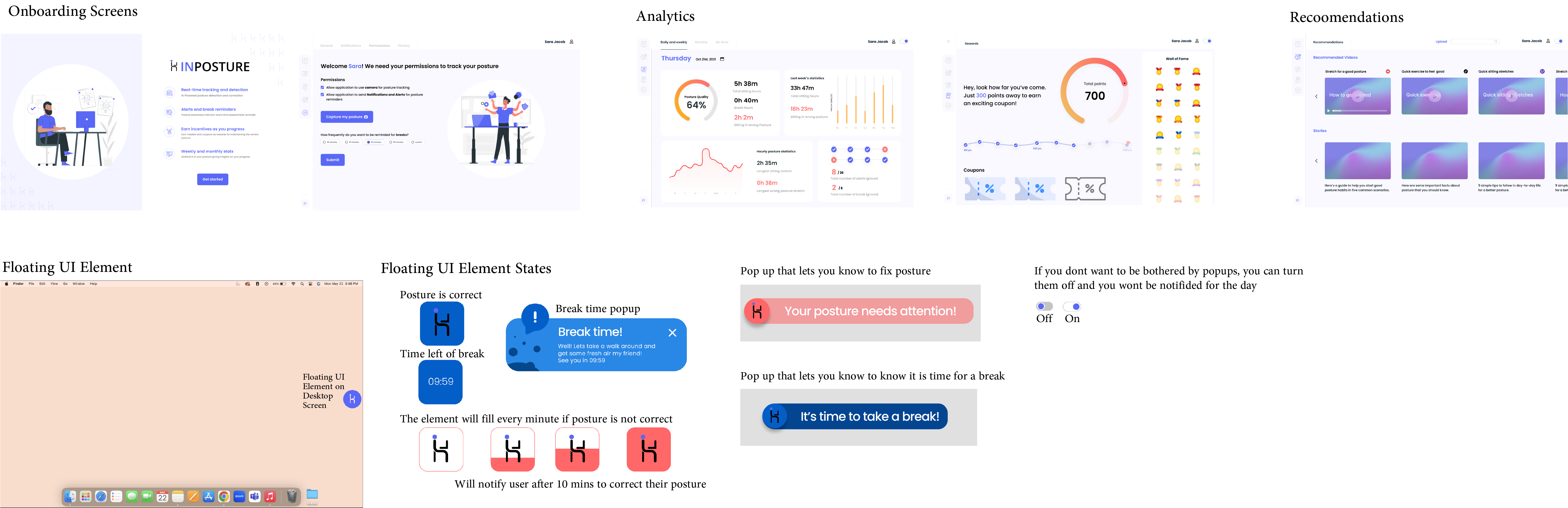
The most critical design decision was the concept of a floating, custom UI element. This was a direct response to our finding that users felt tracked or annoyed by intrusive, full-window applications. This subtle, draggable UI element ensures users are:
Not Blocked: It doesn't interfere with their daily work.
Informed Subtly: It alerts them to incorrect posture and gives a grace period before becoming more intrusive (e.g., 10 minutes to self-correct before the element grows).

AI-Powered Posture Detection
Uses the camera to detect and track the user's current posture in real-time.

Non-Intrusive UI Element
A small, draggable, floating element that subtly changes state to alert users and provides a grace period for correction.

Privacy Toggle
A user-controlled switch to turn tracking off, ensuring users feel in control of their environment.

Personalized Analytics
Weekly reports on correct vs. incorrect posture time to track progress and motivate improvement.

Break & Stretch Reminders
Timely pop-ups with personalized recommendations for breaks and small stretches to counteract sedentary behavior.


Validation & Refinement
To validate our design, we performed both a heuristic evaluation with an expert and usability testing with five potential users.
Key Feedback and Iteration:
One of the most successful aspects of our design was the floating, non-intrusive, draggable UI element. Users loved how it provided posture alerts without disrupting their workflow, making the experience feel seamless and supportive rather than intrusive. Another feature that resonated strongly was the privacy toggle, which gave users full control over when the app tracked their posture — an important factor in building trust.
However, our initial onboarding experience fell short. Users struggled to understand how the AI functionality worked because the instructions were unclear and too brief. Additionally, the reminder pop-up occasionally appeared in awkward positions, blocking critical areas of the screen and creating frustration.
To address these issues, we introduced a step-by-step onboarding tutorial that walked users through the app’s features and AI capabilities in a clear, intuitive way. We also redesigned the pop-up placement to ensure it never interfered with essential on-screen elements. These refinements significantly improved usability and user satisfaction, reinforcing the importance of iteration in creating a polished, user-centered solution.
We implemented these changes in our final design, ensuring a cleaner interface, amore robust onboarding experience, and better user support.
The Final Prototype
Impact & Reflection
This project was a profound learning experience, marking my first time working in a multi-person student team. It underscored the power of technology, specifically AI, to solve real-world health and productivity challenges by transforming an abstract problem (posture) into a tangible, trackable one.
Learnings:
Effective Communication is Paramount: I learned the importance of clear and transparent communication to align working styles and ensure every team member is on the same page.
The Value of Iteration: This project reinforced that achieving a truly satisfactory design requires numerous iterations. It's perfectly normal to cycle through design and testing multiple times to reach a refined, effective outcome.
Simplicity as a Solution: The core idea of the non-intrusive floating UI element proved that often, the best solution is one that fits seamlessly into the user's existing workflow without creating friction or distraction.
Other Projects


Let's turn ideas into
intuitive experiences